 Posepass
Hand over the phone and let Posepass tell them how to take your photo
Posepass is an iPhone camera app for the person being photographed. Pick one of 124 drawn poses, give your friend the phone, and the live camera shows a ghost outline, framing lines and short directions for phone height, lens and distance. No account, and photos stay on your iPhone.
Coming soon to iPhone
Inside the app
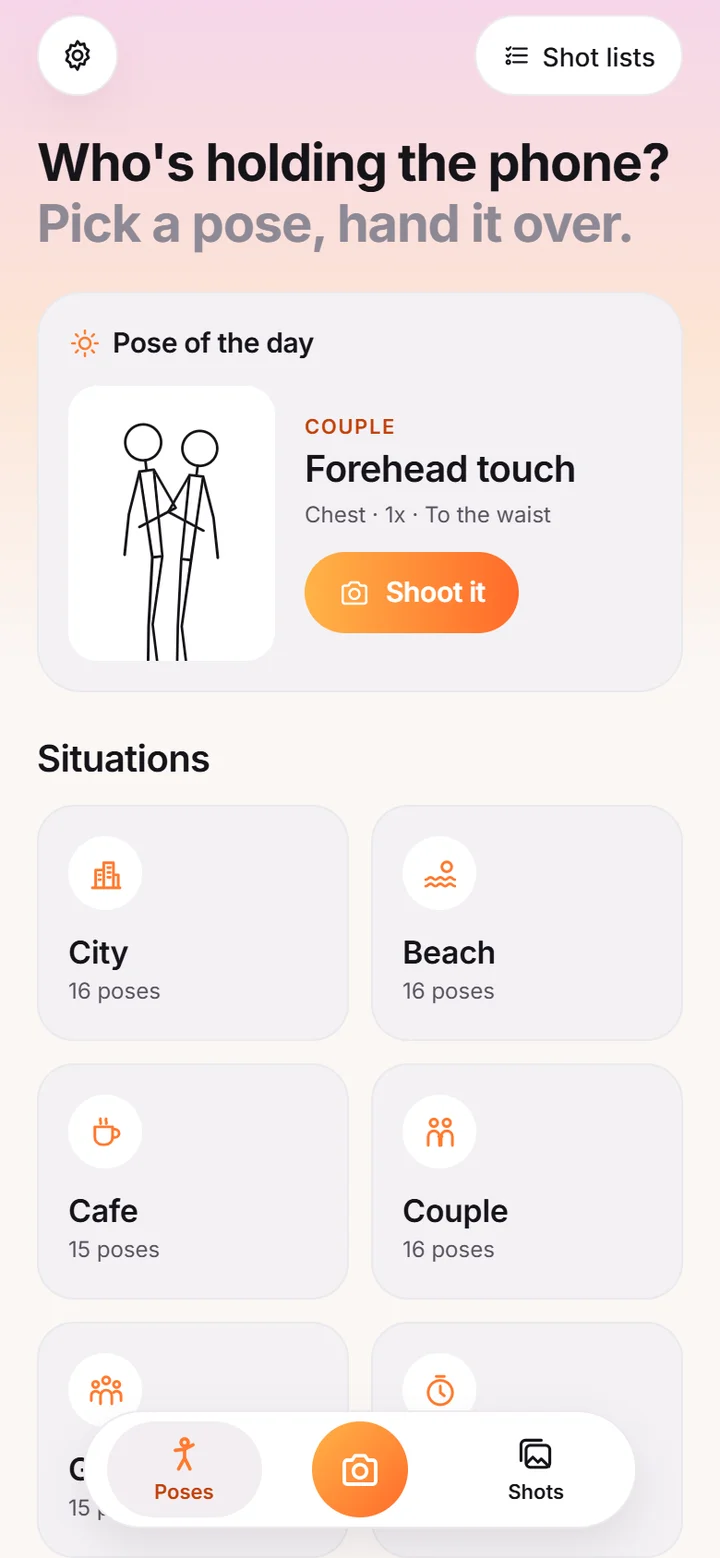
- 01Pose library home with pose of the day and situation categories
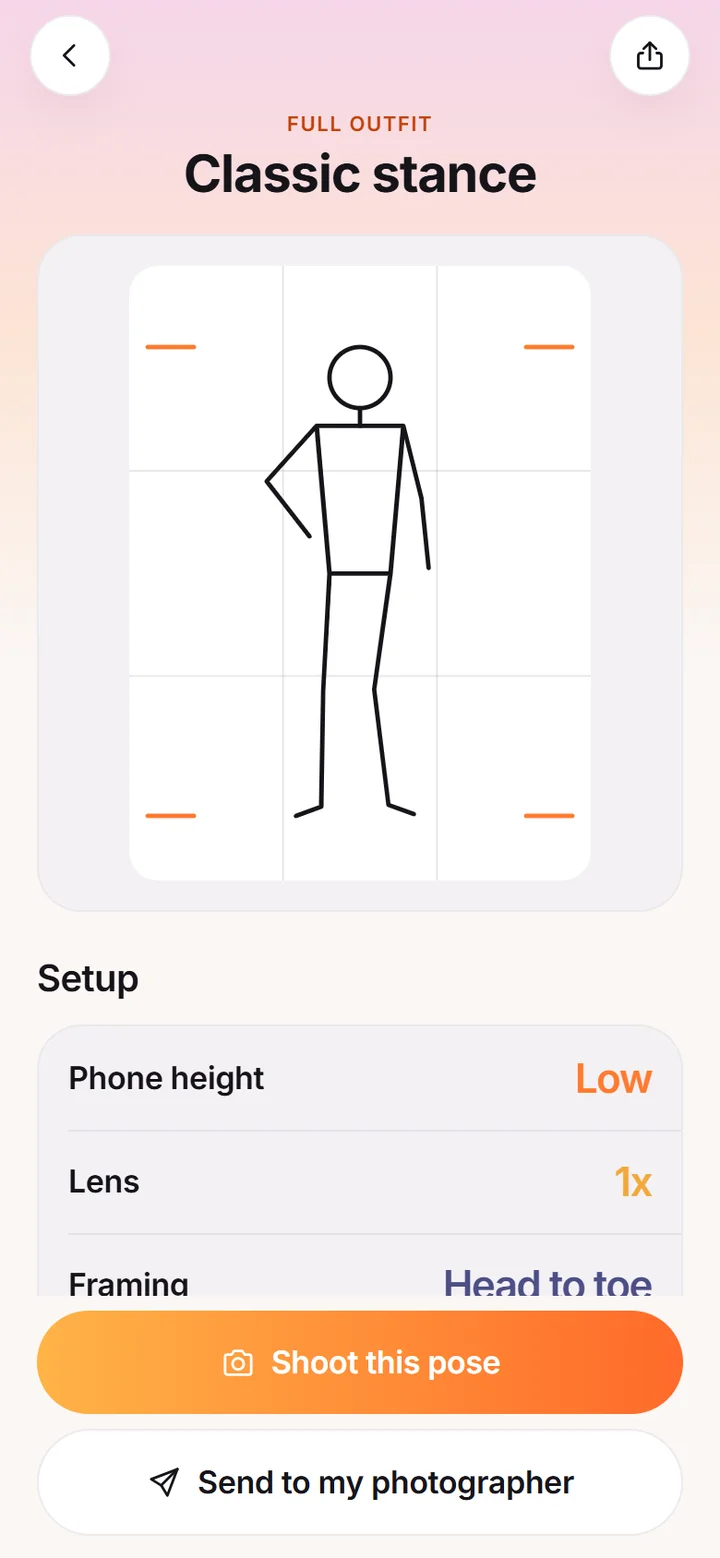
- 02Pose detail with outline figure, thirds grid and phone setup options
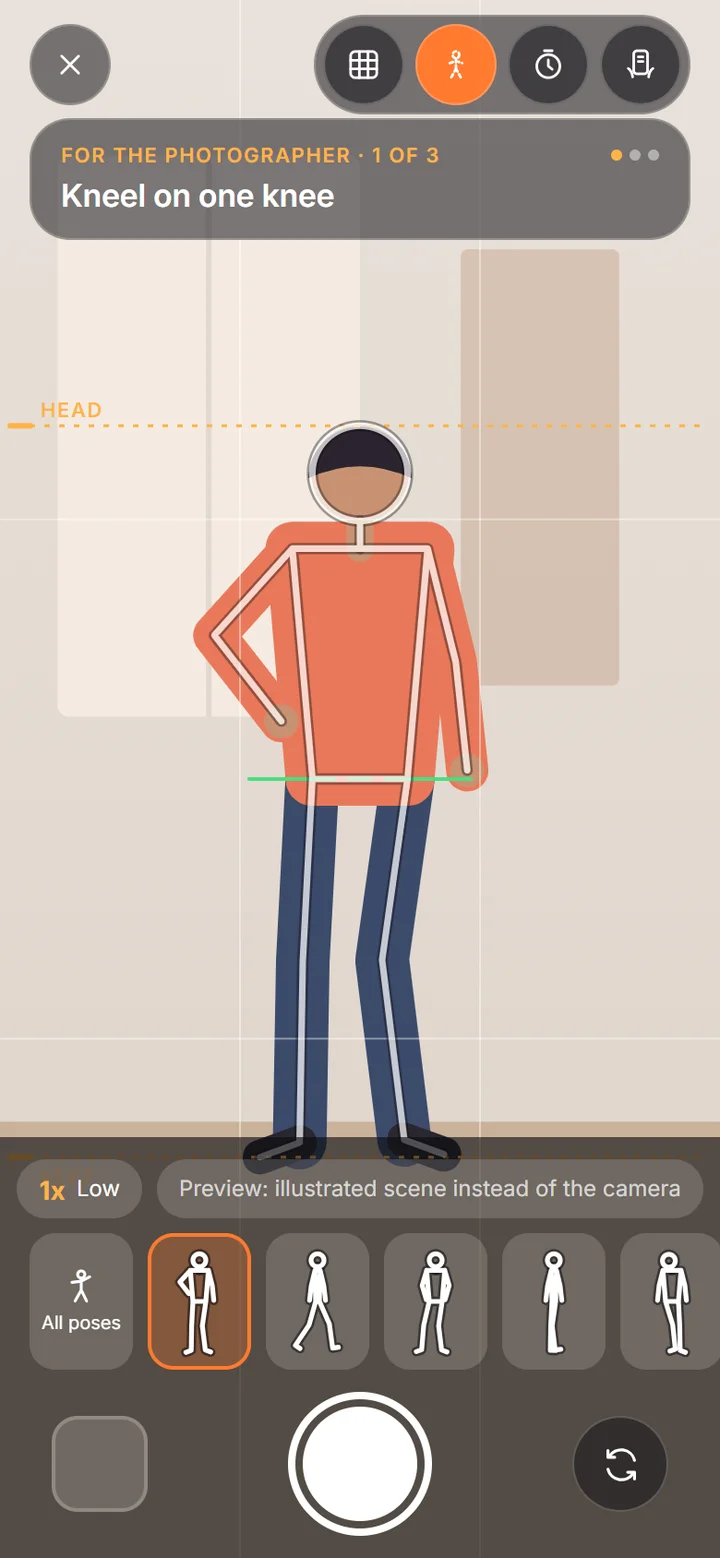
- 03Camera guide with pose outline overlay, head line and pose picker
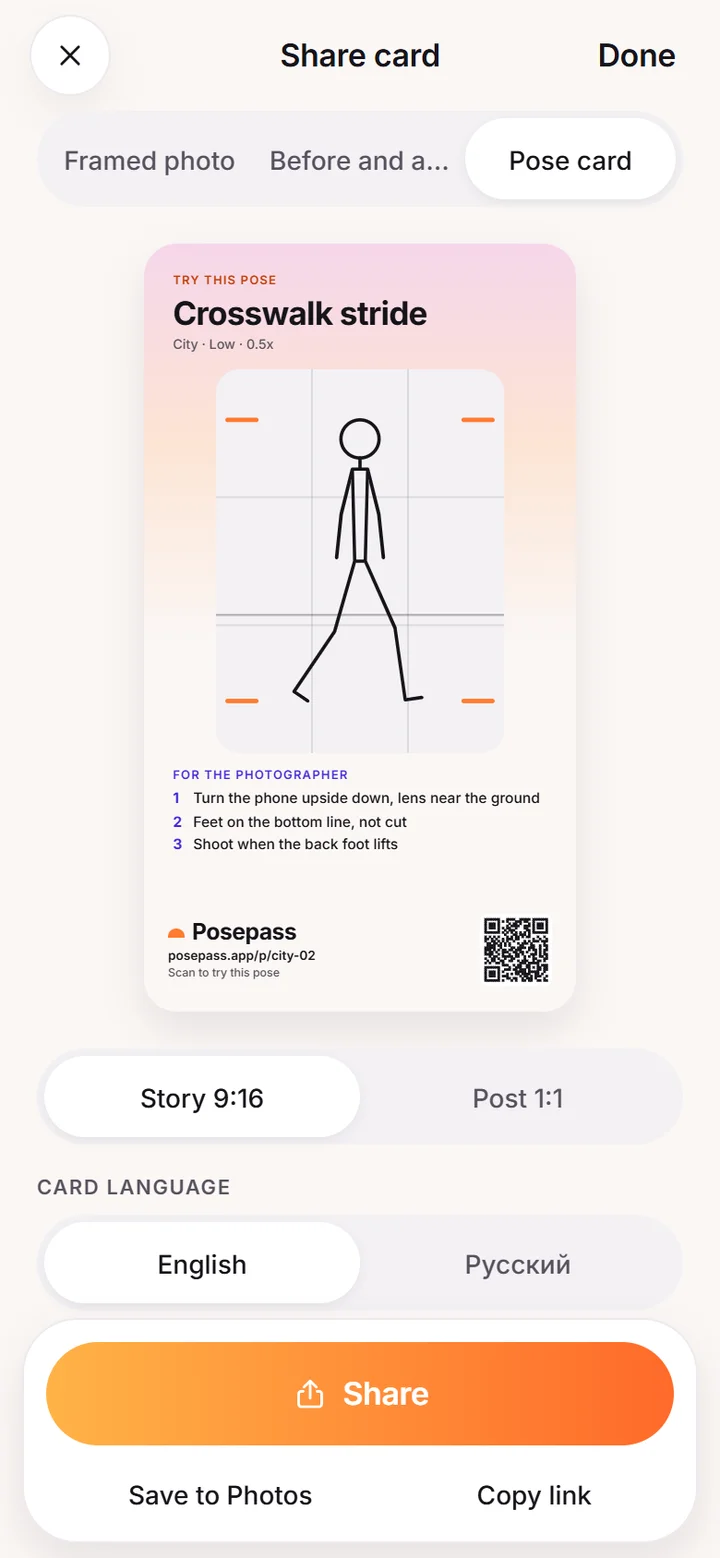
- 04Share screen with a pose card in story format and a QR link
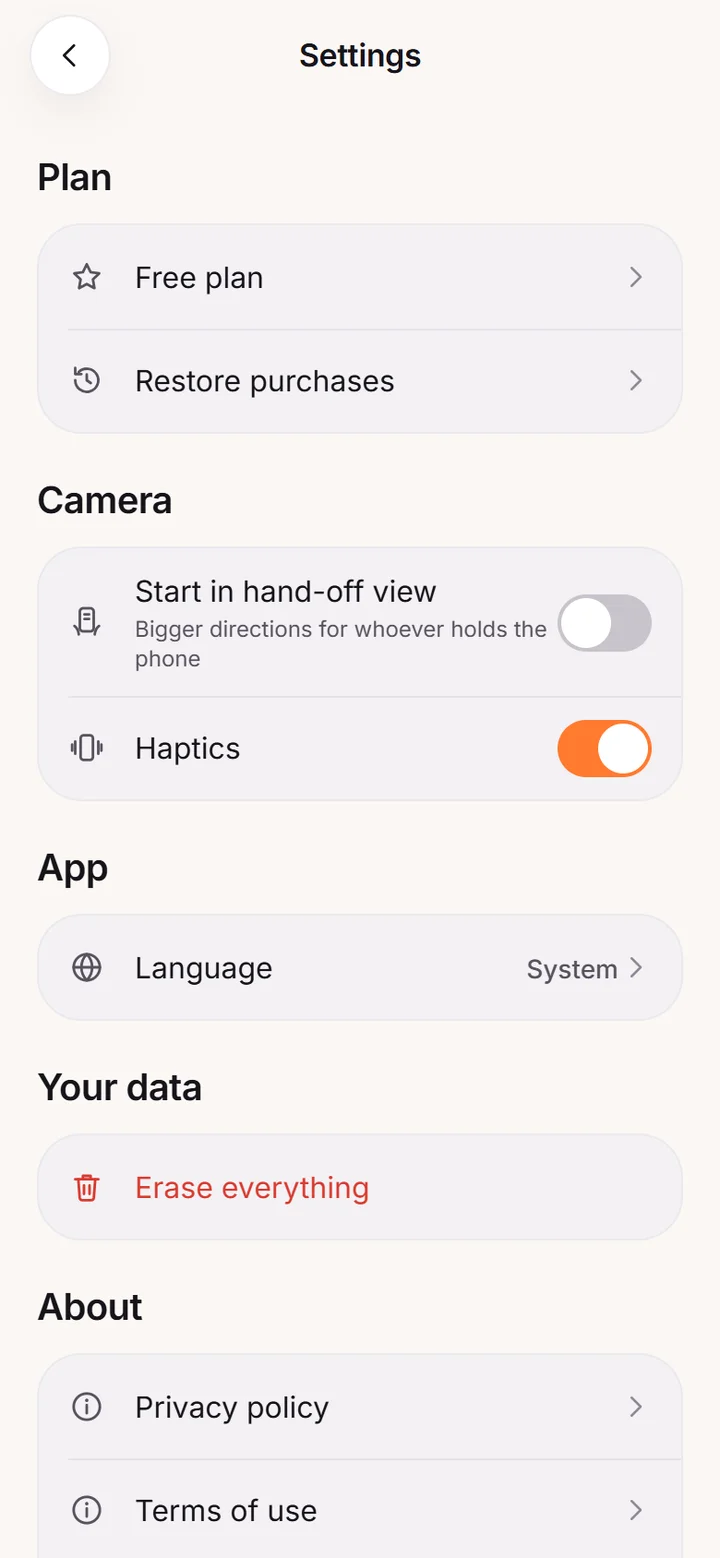
- 05Settings with plan, camera, language and privacy options
How it works
- 1Pick a poseChoose from 124 drawn poses in eight situations, such as city, beach, cafe, couple or group.
- 2Hand over the phoneThe camera shows a ghost outline, framing lines and short directions for phone height, lens and distance.
- 3Check the shotA five-point check compares the photo with the outline. Keep it, retake it or turn it into a share card.
What it does
Guides
What problem does Posepass solve?
You know the pose you want. Your friend does not know where to stand, how low to crouch or why your feet keep getting cut off. Posepass puts the instructions on the camera screen so you do not have to explain.
It coaches the person holding the phone, not the body in front of it. Nothing in the app scores, rates or reshapes a person.
How does the camera guide work?
The pose appears as a white ghost line over the live view. Thirds, a horizon line, headroom and feet lines and a level that turns green within 2 degrees help frame the shot. A short capsule at the top gives three directions, such as kneel on one knee or put your feet on the bottom line.
A hand-off mode makes the text larger so your friend can read it at arm's length. See camera guides.
124 poses in eight situations
City, beach, cafe, couple, group, solo with timer, travel and full outfit. Every pose is an original line drawing, with a phone height, a lens and a framing suggestion, plus directions for the photographer and cues for you.
The free plan has 40 of them, five per situation, and Pro opens the rest. Browse the pose library.
Check the shot before you keep it
After you shoot, a five-point check compares the photo with the outline: feet in the frame, head under the top line, level horizon, nothing cut at the joints and light on the face. If three or more are unchecked, the app suggests a retake with the outline. Read about the shot check.
Cards you can share
Turn a result into a framed photo, a before-and-after or a pose card, in 9:16 or 1:1. Every card carries the Posepass name, a link to the pose and a QR code, so anyone who sees it can open the same pose. See share cards.
Send a pose to your photographer
On any pose, tap Send to my photographer to share a short text with a link. The link opens that pose, with its directions open in full, for your friend. Your friend does not need to explain anything back to you.
Privacy
No account, no ads, no analytics. The camera does not detect or analyse faces or bodies, and photos you keep stay in the app until you share them or save them to Photos. The only things that leave the phone are a purchase check through Apple and a third-party billing service and whatever you send through the share sheet. See the privacy policy.
Frequently asked questions
What is Posepass?
An iPhone app that shows a ghost pose outline, framing lines and short directions on the camera so whoever is holding your phone takes a better photo.
Do I need an account?
No. There is no account, and your photos stay on your iPhone.
How many poses are there?
124 original drawn poses across eight situations. 40 are free and the rest are part of Pro.
Does Posepass edit or rate how I look?
No. It coaches phone height, distance, lens, lines and timing. It never scores or reshapes a person.
When is Posepass on the App Store?
It is in development and not released yet. This site will link to the App Store when it is live.
Which languages does it support?
English and Russian.