 Posepass
Camera guides for the person holding the phone
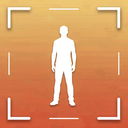
The Posepass camera draws the chosen pose as a white ghost over the live view, adds a thirds grid, horizon line, headroom and feet lines and a level, and shows three short directions at the top. A hand-off mode makes the text bigger so a friend can read it at arm's length.
Coming soon to iPhone
What do I see on the camera?
The ghost is a 3 px white line with a dark halo at 70 percent opacity. Tap the ghost button to cycle 70, 35 and off. Guides can be turned on and off from a sheet: thirds grid, horizon line, headroom and feet lines taken from the figure, and level.
A pose strip at the bottom shows 12 poses from the current situation so you can switch without leaving the camera.
How does the level work?
It reads the phone's tilt and turns green within 2 degrees. The app asks for motion access only for this, and keeps just the tilt at the moment of the shot, which the check uses for the horizon item.
What are the directions?
A capsule at the top shows step 1 of 3 and a direction in plain words. Tap it for the next step. Directions cover phone height, distance, lens, where to put feet and heads and timing, such as kneel on one knee or tap the shutter five times.
What is hand-off mode?
One tap enlarges the capsule text to 24 pt and hides the pose strip. Hand the phone over, and your friend can read the steps without leaning in.
Timer, lens hint and flip
Set the timer to off, 3 seconds or 10 seconds for solo shots. A lens chip shows 0.5x, 1x or 2x as the pose suggests, as information only. Flip the camera when you need the front lens.
Which guides are on by default?
You choose. The camera defaults in Settings let you set ghost opacity and whether guides are on when the camera opens. Beginners may want thirds and level on. Experienced photographers may switch the ghost down to 35 percent or off.
What does the camera not do?
It does not detect faces or bodies, and it does not retouch. The outline is a drawing that you line up by eye. Read about the next step in the shot check.
How do I set up a shot, step by step?
The flow is the same for every pose.
- Open a pose and tap Shoot this pose. The camera opens with the ghost outline.
- Open Guides and switch on the lines you want: Thirds grid, Horizon line, Head and feet lines, Level.
- Hand over the phone, or turn on the hand-off view so the directions are large.
- Read direction 1 of 3, then tap the capsule for the next one.
- Line the ghost up with the person by eye and wait for the level to turn green.
- Tap the shutter, or start the 3 or 10 second timer first.
What does each guide do?
The guides sheet lists four lines, each with a one-line hint.
- Thirds grid: two lines across and two down.
- Horizon line: a place to keep the sea or the street level.
- Head and feet lines: show where the pose wants the head and the feet to land.
- Level: turns green when the phone is straight.
How is this different from the built-in Camera app?
The iPhone Camera app can show a grid, and that is a useful start. It has no idea what pose you are after. Posepass adds the pose outline, head and feet lines taken from the figure, and written directions for height, lens and distance.
If you already know the pose and the framing, the plain camera is enough. If someone else holds your phone and has no idea what you want, the outline gives them a target. For the grid itself, see the rule of thirds guide.
What helps a friend who has never done this?
Switch on Start in hand-off view in Settings, so the larger directions appear every time the camera opens. Tell your friend to read only the current step and tap for the next one. If the outline gets in the way, drop it to faint.
Ask for a burst. Many poses end with the direction to tap the shutter five times, and a few extra frames cost nothing.
What happens if camera access is off?
Posepass shows a Camera is off screen with a button that opens Settings. You can still browse poses and send them to a friend. The camera is needed to draw the outline and framing lines over the live view, and nothing is uploaded.
What are the limits?
Posepass runs on iPhone with iOS 17 or later, in English and Russian. The level measures sideways tilt only. The lens chip is a hint and does not switch the lens for you, so tap 0.5x, 1x or 2x yourself. Pose names and directions follow the language you set in Settings.
Frequently asked questions
Does the ghost outline detect my body?
No. It is a drawn outline placed on screen. The app does not analyse faces or bodies.
How do I make the text bigger for my friend?
Use hand-off mode on the camera. The directions grow to 24 pt.
Does the level need motion permission?
Yes, Posepass uses the phone's tilt for the level line while the camera is open.
Can I use the timer?
Yes: off, 3 seconds or 10 seconds.
Which guides should I switch on?
Thirds grid and Level are a good start. Add Horizon line for the sea or a street, and Head and feet lines when the photographer is new to full-length shots.
What happens if I deny camera access?
Posepass shows a Camera is off screen with a button to Settings. You can still browse poses and send them to a friend without the camera.